Introducing Safety Voyager Version 5!
Posted on November 5th, 2025
This version features huge revamps for the login, menu, and various modules. Our goal was to streamline the user interfaces for each module and develop a simpler aesthetic than previous versions. Below is a quick summary of updated modules or additions:
- Crash Map: brand new menu interface, heatmap visualization for crashes in the county and municipality view.
- Trends, Emphasis Areas, Jurisdiction Reports: new streamlined interface with the ability to log out of Safety Voyager.
- User Manual: features Quick Start guide for the Crash Map – more articles coming soon.
Crash Map
The Crash Map was revamped to have better visual clarity crash data and a more intuitive interface. We have also added considerable functionality to make it easier to find crashes and view the information that you need.
Heatmap Visualization for Crashes
Instead of showing clusters for each county and municipality, the Crash Map will show a heatmap of crashes by county or municipality. This visual change provides users a better context of crash frequency based on location.
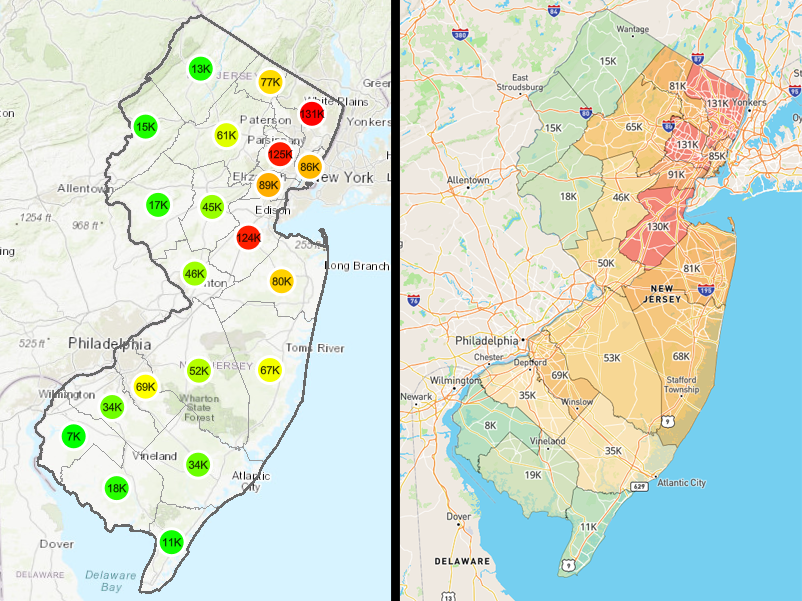 Crashes visualized in the county level map view. Clusters in the previous version (left) and heatmap in version 5 (right).
Legend
We listed to your feedback about implementing a legend on the map. The legend dynamically displays layers based on your current map view. Layers can be turned on or off in the legend as well.
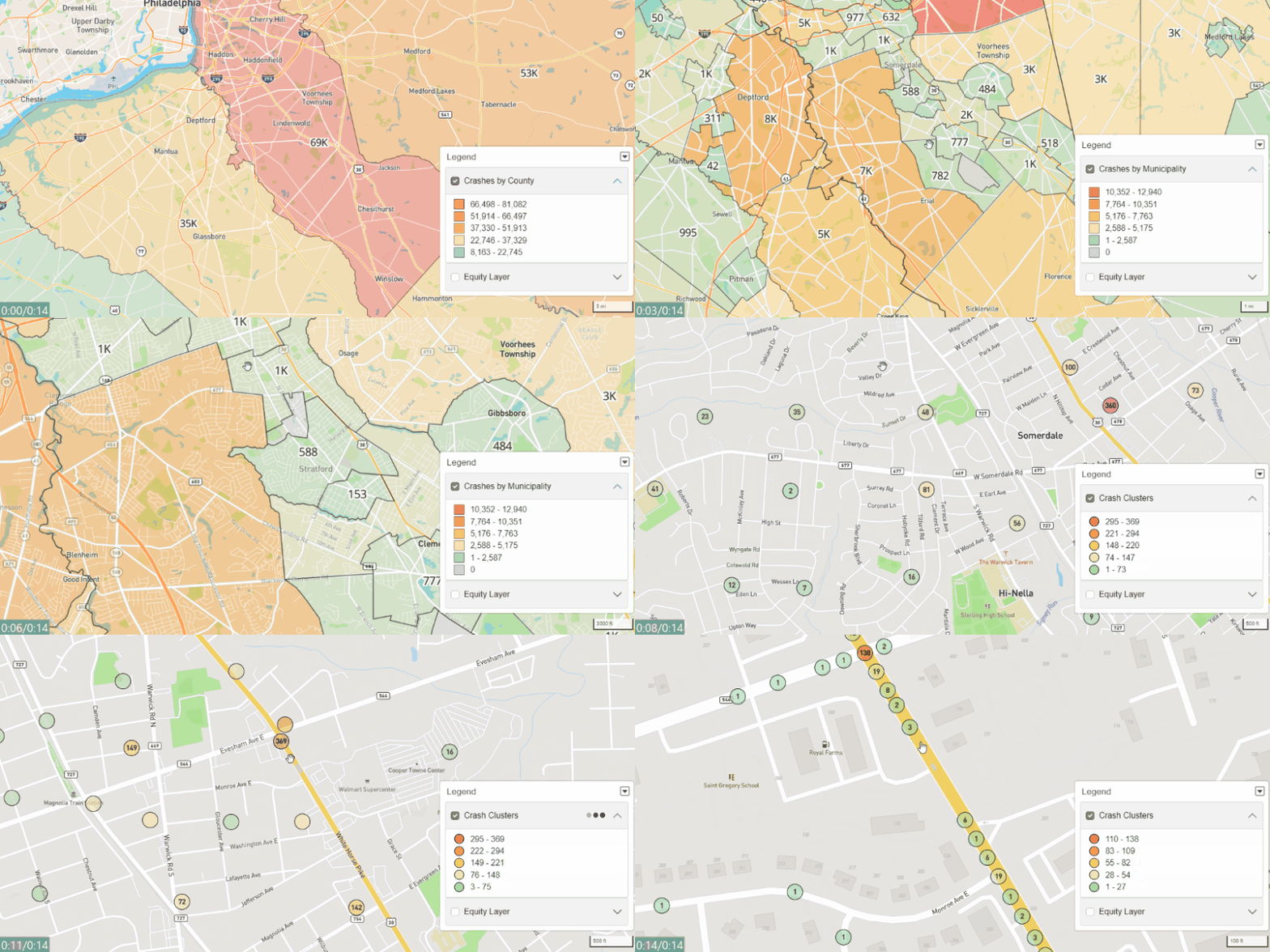 The legend dynamically updating based on your current map view.
Menu Organization
For a more streamlined experience, the Filter Menu is not moved to the left with all other menu options. This change is more intuitive as it provides a central location for all menu items.
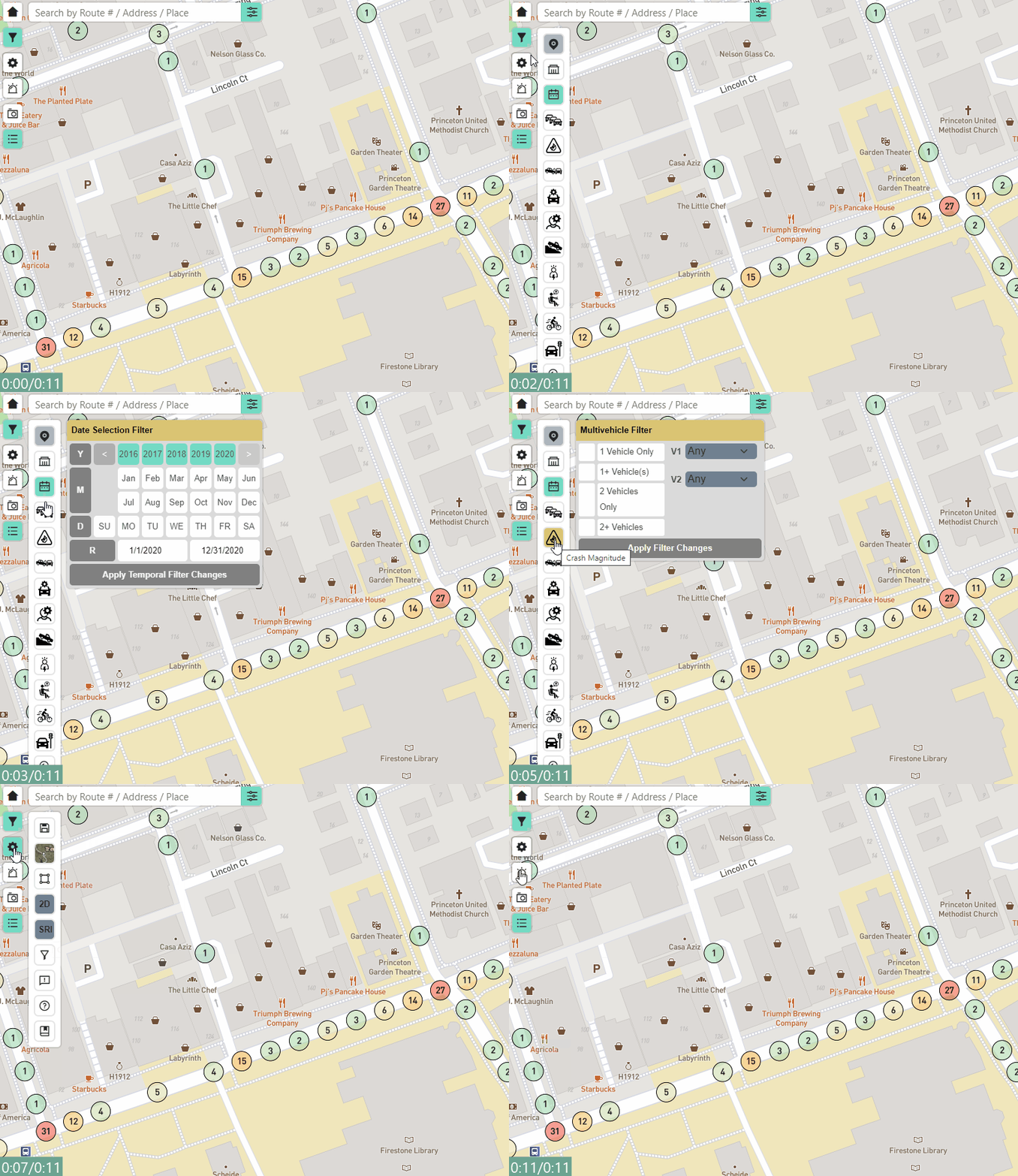 The Filters Menu is now located on the left with the other menus.
NJTR-1 Fields and Search
It is now possible to search for crashes based on NJTR-1 fields. The Crash Map many of the NJTR-1 fields for search and allows users to filter crashes based on these fields. Searching for NJTR-1 fields is highlights the menu entries that correspond to NJTR-1 fields for easier navigation as shown in the image below.
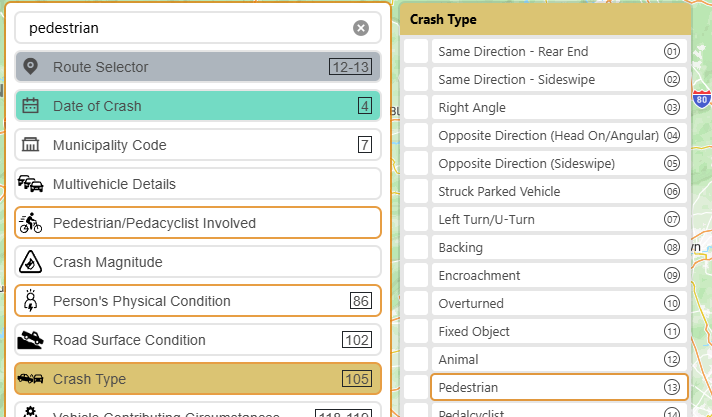 NJTR-1 fields are now labled in the crash menu for easy cross reference.
Bi-direction Crash Visualization
Previously it was only possible to see all the crashes on a road segment regardless of direction. Now users can enable a new view mode that allows them to see crashes along many corridors simulanteously but separated by direction. This view mode is especially useful for corridors with high divergent crash frequencies by direction.
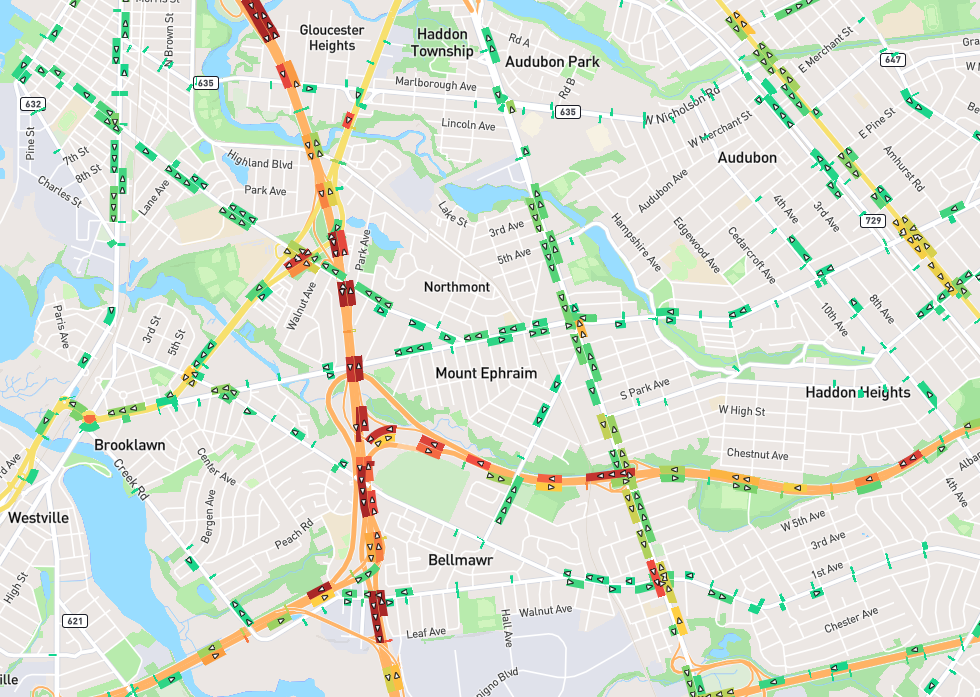 NJTR-1 fields are now labled in the crash menu for easy cross reference.
Trends, Emphasis Areas, Jurisdiction Reports
We streamlined the user interface for the Trends, Emphasis Areas, and Jurisdiction Report modules to be more consistent.
User Manual
This is a new module which will host user-friendly tutorials and how-to guides on advanced tools for various Safety Voyager modules. The User Manual currently features a Quick Start guide for the Crash Map. Please email us if you have suggestions on what tutorials we should cover!
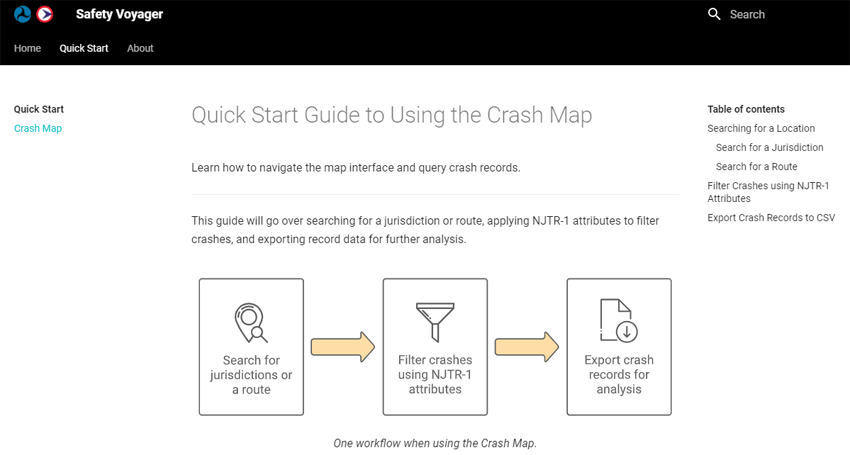 Preview of the Crash Map: Quick Start Guide in the User Manual.